About This App
- Name File Manager
- Category Tools
- Price 0
- Safety 100% Safe
- Developer SolidDevsKit
- Version 4.8.2


Description
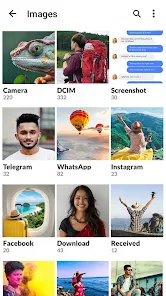
A feature-packed ASD File Manager app that is 💯 free and safe to use. You can copy, share, move, rename, scan, encrypt, compress, and do a lot more with your device’s file 📱.
The app also offers a secret folder 🛅 for the sensitive and private data of your device, protecting them from unauthorized access.
Extra Key Functions
■ Quickly Search🔍 the files by their name
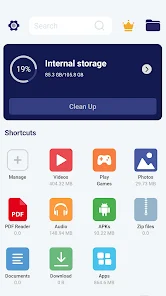
■ Manage Shortcut folders on the homepage of the app
■ SD card compatibility 💾
■ Hide and unhide files easily
■ Calculator📟
■ Filter duplicate media files 👥
■ Restore deleted data🗑️
■ Manage Large files smoothly
■ PDF Reader 👓 and image to pdf converter
■ Dark Mode 🌘
■ Clean Master🧹
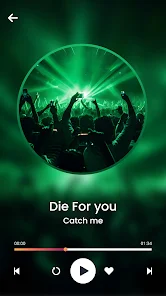
■ Inbuilt HD Video Player📽️
■ Homepage Widgets🤹
■ Clear cache, browser history, and cookies 🍪
■ Use the app in 30+ languages🗣️
■ Free online games🎯
■ View recently opened files📄
Key Features of the ASD File Manager App
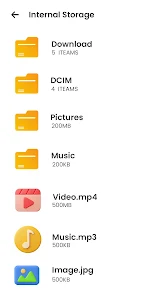
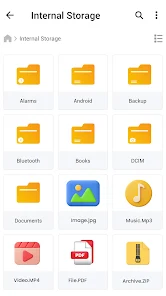
■ Basic functionalities: copy, move, share, rename, copy path, and delete files.
■ Shortcut folders:
Manage and organize the important folders on the homepage of the app based on your preference.
■ Secret Folder:
A pin-protected and encrypted folder ‘Callock’ 🔒 hidden under a calculator to safeguard your private files from intruders.
■ File Format support:
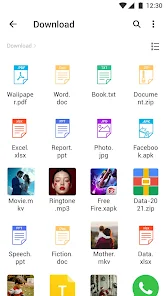
The app supports PDF, video, photos, and audio formats. You can even choose to open specific formats like DOCX, HTML, and XLXS with other supported platforms on your device.
■Get rid of unused files:
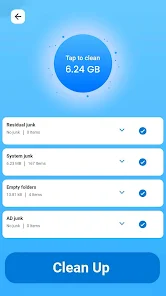
The app's Clean Master🧹 function assists in clearing up residual and junk files stored on your device. Deleting unnecessary files from your device also frees up storage space for more important apps and files.
■Manage storage space smartly:
The app's Filter Duplicate 👥 feature detects and displays duplicate media files such as images and videos. You can opt to delete these duplicate copies and manage your device's storage.
Scan Documents to PDFs: The app's ScanDoc function allows you to scan physical documents into PDF format, and you can even apply filters to your converted PDF to enhance its appearance.
■ Compress & Decompress Files:
You can compress large files into zip files in a quick and easy way. Reduce the size of the file without compromising its original quality. You can always unzip or decompress the zip files.
■ Share files without the internet:
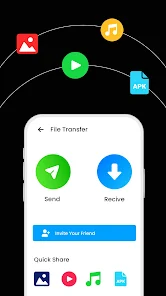
This app's ShareOn function allows you to share photos 🖼️, videos 📽️, songs 🎶, and other documents 📃with other Android devices without needing to connect to the internet or wifi. You can also effortlessly transfer movies and huge files in original quality to other devices and even share them with your PC.
■ Social media video downloader:
Download ⬇️ social media videos, reels, and posts easily by simply pasting the link in the browser. You can also log in to your favourite social media accounts directly from the app and download the videos.
■ In-built browser:
Browse 🌐 the internet from within the app, the browser lets you search online, manage several tabs, manage downloads, and search history. You can take printouts 🖨️ of the web pages or save them as PDFs on your device.
We will be grateful for your feedback, and if you have any suggestions, please email ✉️ us at info@rareprob.com
Frequently asked questions
If you're an Android user and don't download the app from the official Google Play Store, you may find the installation process more complicated than usual.
We fully understand your concern about safety. We agree that one person wouldn't be too careful in the cyber world. Meanwhile, we are happy to tell you that one of our priorities is to provide our users with safe app files that they can use without any worries.
We guarantee that all the app files we provide originate from official and reliable sources. We promise that they do not contain any malware that will harm your hardware or the safety of your privacy.
We are happy to inform you that the answer is an absolute YES! All the apps on our website are 100% free to download. Besides, you do not have to create an account. Just click on the download button, and it's done.
Recently we received a lot of emails from our users saying they couldn't log in for different reasons, such as "forgot the user name or password" or "had a new phone." We are willing to help you out. Please read the notes below to see what we can do.
To answer this question, please first let us know which account you're referring to.
If you're referring to your account of some app, like your Facebook account or your Youtube account, unfortunately we would not be able to help in this case. We would suggest you turn to the customer service of this application.
This question is essentially quite similar to the prior one. It's a pity that we are unable to help you cancel the subscription to a third-party application directly, while we would suggest you contact its customer service for further information.
Sorry that we are unable to help you get a refund from a third-party application directly. If you wish to get a refund from a third-party app, we would suggest you contact its customer service. We would be happy to provide you the way to contact them.
If you want a refund from us, we should apologize for your confusion. Our service is 100% free, and any payment information is not required.
If you run into any site that asks you to provide your payment information, be careful. Remember never to reveal your payment information to any unauthorized third parties, no matter how tempting their offer may seem.
Sorry that we cannot answer this question directly, as this section only aims to answer some general questions. You may find how to use a certain app by checking our review page.