About This App
- Name XVX HD Video Codec Downloader & Play
- Category Tools
- Price 0
- Safety 100% Safe
- Developer SolidDevsKit
- Version 3.2.0

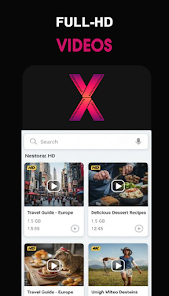
Description
🚀 Key Features You'll Love
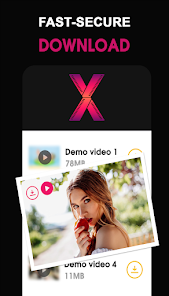
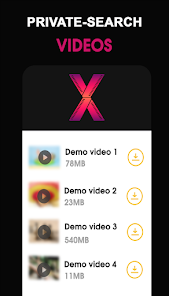
• Smart Auto-Detection: Browse websites using the built-in browser, and the app will automatically find downloadable links for saving.
• Built-In HD Media Player: Stream and play your downloaded videos offline smoothly—say goodbye to internet buffering.
• Heavy-Duty Download Manager: Full control over your queue. Pause, resume, or clear downloads effortlessly.
• Multi-Threaded & Background Downloads: Save time by downloading several files together over Wi-Fi, 4G, 3G, or 2G, even while using other apps.
• Storage Flexibility: Save files directly to your internal storage or seamlessly utilize an SD card.
🏠 Home Launcher Features
This app also includes an optional Home Launcher experience that provides a clean and simple way to access your device.
Launcher Features:
Set the app as your default Home Launcher.
Swipe up to access all installed applications.
Swipe right for quick access to the Video Downloader.
Clean home screen with clock and date.
Quick access to Phone, Contacts, Camera, Browser, and Messages.
Smooth gesture-based navigation.
Lightweight and fast launcher experience.
Displays installed apps in an organized app drawer.
Uses your device wallpaper for a personalized home screen.
The Home Launcher is completely optional and can be changed at any time through your device's default Home app settings.
⚠️ Important Notice & Disclaimer
Please Note:
• YouTube Downloads are Not Supported: Due to strict Play Store policies and YouTube's Terms of Service, downloading content from YouTube is entirely restricted.
• This application is an independent utility and is not affiliated with, authorized by, or endorsed by any official social media platform or network.
• Any unauthorized actions (such as re-uploading or downloading protected content) and/or violations of intellectual property rights are the sole, exclusive responsibility of the user.
🛡️ Permissions Required
To deliver a flawless downloading experience, the app requires the following essential access:
• Network Access: Required to connect to the internet, browse websites, and fetch your media.
• Storage Access (Internal & External/SD Card): Required to securely write, save, and manage your downloaded files directly on your device.
Frequently asked questions
If you're an Android user and don't download the app from the official Google Play Store, you may find the installation process more complicated than usual.
We fully understand your concern about safety. We agree that one person wouldn't be too careful in the cyber world. Meanwhile, we are happy to tell you that one of our priorities is to provide our users with safe app files that they can use without any worries.
We guarantee that all the app files we provide originate from official and reliable sources. We promise that they do not contain any malware that will harm your hardware or the safety of your privacy.
We are happy to inform you that the answer is an absolute YES! All the apps on our website are 100% free to download. Besides, you do not have to create an account. Just click on the download button, and it's done.
Recently we received a lot of emails from our users saying they couldn't log in for different reasons, such as "forgot the user name or password" or "had a new phone." We are willing to help you out. Please read the notes below to see what we can do.
To answer this question, please first let us know which account you're referring to.
If you're referring to your account of some app, like your Facebook account or your Youtube account, unfortunately we would not be able to help in this case. We would suggest you turn to the customer service of this application.
This question is essentially quite similar to the prior one. It's a pity that we are unable to help you cancel the subscription to a third-party application directly, while we would suggest you contact its customer service for further information.
Sorry that we are unable to help you get a refund from a third-party application directly. If you wish to get a refund from a third-party app, we would suggest you contact its customer service. We would be happy to provide you the way to contact them.
If you want a refund from us, we should apologize for your confusion. Our service is 100% free, and any payment information is not required.
If you run into any site that asks you to provide your payment information, be careful. Remember never to reveal your payment information to any unauthorized third parties, no matter how tempting their offer may seem.
Sorry that we cannot answer this question directly, as this section only aims to answer some general questions. You may find how to use a certain app by checking our review page.